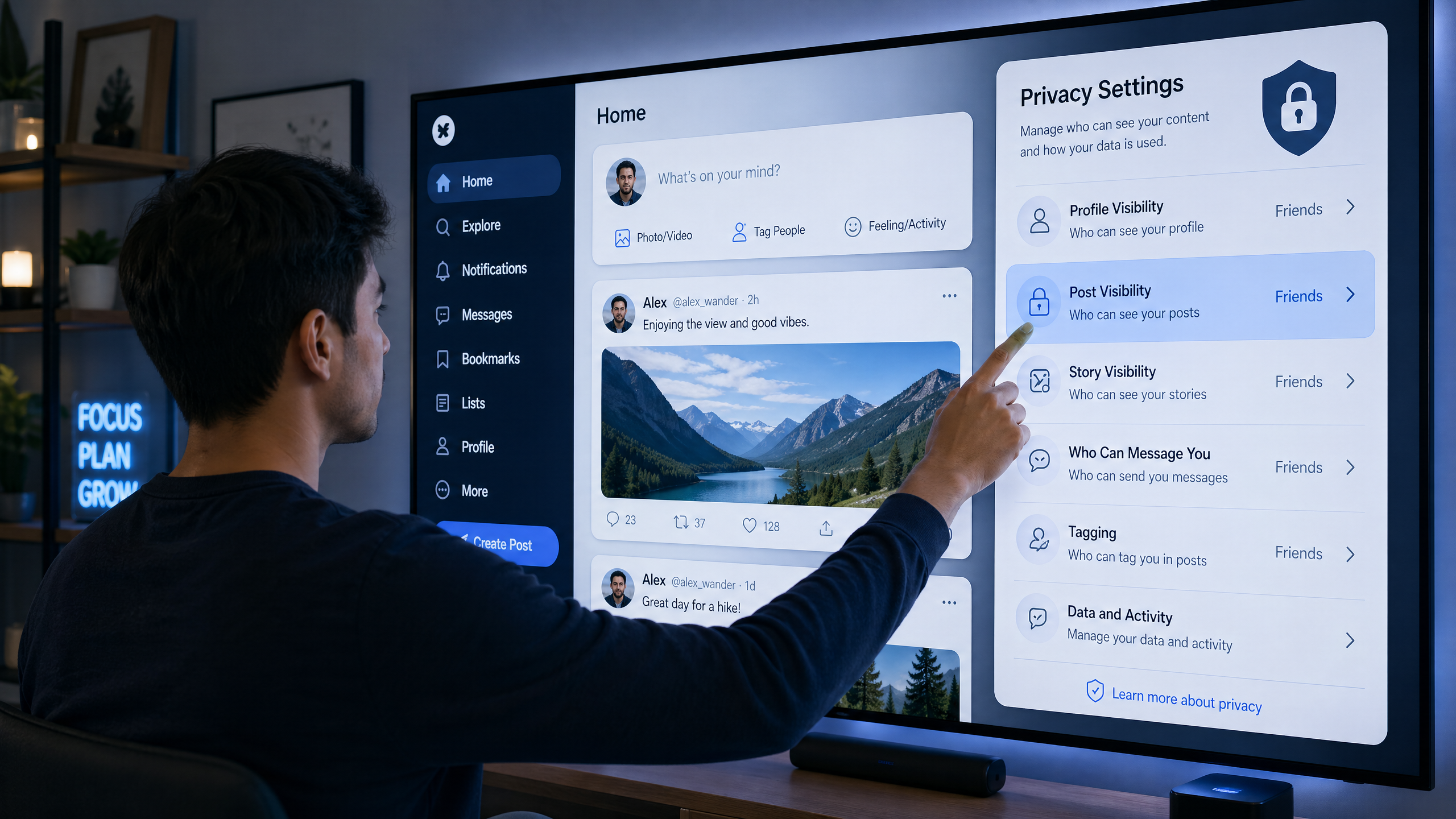
Protecting Your Data on Social Media: A Comprehensive Guide for Users
Social media has become an indispensable part of our daily lives, connecting us with friends and family, providing platforms for self-expression, and serving as a source of news and information. However, these platforms also carry significant risks to our privacy and personal data if we are not careful. Every photo, post, or interaction can reveal sensitive information that could be used against us. In this comprehensive guide, we will explore how to protect your privacy on social media, ensuring a safe and enjoyable experience.
Why is Social Media Privacy Important?
Protecting your privacy on social media is crucial for several reasons:
- Preventing Identity Theft: Personal information shared, such as date of birth, home address, or even pet names, can be used by fraudsters to steal your identity or access your other accounts.
- Avoiding Phishing and Social Engineering: Attackers use personal information gathered from your profiles to target you with more convincing and personalized phishing messages, increasing your chances of falling victim.
- Protecting Personal and Professional Reputation: Old posts, inappropriate photos, or comments that may seem harmless at the time can negatively impact future job opportunities, personal relationships, or even professional reputation.
- Avoiding Tracking and Targeted Ads: Advertising and data collection companies track your activity and interactions to build detailed profiles about you, which are used to target you with personalized ads. This data may also be sold to third parties.
- Personal and Physical Safety: Revealing your geographical location, travel plans, or even your daily routine can expose you to physical risks, such as theft or real-world tracking.
Essential Steps to Protect Your Social Media Privacy
To maintain your privacy and security on social media, you should adopt a set of practices and tools:
1. Regularly Review Privacy Settings
This is the most important step. Privacy settings constantly change on most platforms, so you should review them regularly (at least once every 3-6 months) on all platforms you use. Make sure to adjust the following:
- Who can see your posts: Set them to "Friends Only" or "Only Me" instead of "Public". This limits the spread of your information.
- Who can search for you: Restrict searches for you using your email or phone number. Some platforms allow this, making it easier for strangers to find you.
- Who can tag you: Enable the option to review tags before they appear on your profile or in your posts. This prevents you from appearing in content you may not want.
- Who can see your friends/followers list: Make it private. This prevents strangers from gathering information about your network.
2. Be Careful About What You Post
- Avoid Sensitive Information: Do not post your full date of birth, home address, phone number, or any financial information. This information is key to identity theft.
- Think Before You Post: Once something is posted, it is difficult to completely remove it from the internet. Consider how your posts might be interpreted by others, and if you are comfortable with them being publicly available.
- Location Services: Turn off location services for apps you don't need, and avoid posting your current location or travel plans.
- Children's Photos: Be very careful when posting photos of your children, and avoid revealing their faces or identifying information that could put them at risk.
3. Use Strong Passwords and Multi-Factor Authentication (MFA)
- Unique and Strong Passwords: Use a strong and unique password for each of your social media accounts. Passwords should be long, contain uppercase and lowercase letters, numbers, and symbols. Use a password manager to help you with this.
- Enable MFA: Enable Multi-Factor Authentication (MFA) on all your accounts. This adds an extra layer of security, requiring a code from your phone or an authenticator app in addition to your password to log in, making it much harder to hack your account.
4. Be Wary of Friend Requests and Messages
- Accepting Requests: Do not accept friend requests from people you don't know in real life. Many scam accounts use fake profiles to gather information.
- Suspicious Links: Do not click on suspicious links in messages, even if they are from friends. Your friend's account may have been hacked, or it could be a phishing message.
- Temporary Email: When signing up for services or apps that require linking to social media accounts, consider using a temporary email to protect your primary email from spam or potential breaches.
5. Review Connected Apps
- Many apps and games grant permissions to access your data on social media. Regularly review these apps and remove any you don't use or trust. These apps can be a security vulnerability.
6. Understand Privacy Policies
- Although they can be long and complex, reading the privacy policies of the platforms you use can give you a better understanding of how your data is collected, used, and shared. This helps you make informed decisions about what you post.
7. Use Privacy Protection Tools
- Privacy-Focused Browsers: Use browsers like Brave or Firefox Focus that block trackers and ads by default.
- Browser Extensions: Use extensions like Privacy Badger or uBlock Origin to block ads and trackers that attempt to collect your data.
Conclusion
Social media are powerful communication tools, but protecting your privacy on them requires constant vigilance and smart practices. By regularly reviewing privacy settings, being cautious about what you post, using strong passwords and MFA, and understanding the risks, you can enjoy the benefits of these platforms while keeping your personal data secure. Remember that your privacy is your responsibility, and every step you take contributes to building a safer digital world for you and for 5mail.store.